


Network configuration management (NCM) is the process of tracking, controlling and backing up the configuration settings of network devices such as routers, switches and firewalls, so the network stays stable, secure and easy to recover.
Every device on your network runs on a set of instructions: IP addresses, routing paths, access rules, passwords and security policies. When one of these settings is changed by mistake, or without anyone knowing, the result can be an outage, a security gap or a failed audit.
This guide explains what network configuration management is, how it works, which features to look for and why it matters for businesses of every size.
What Is Network Configuration Management (NCM)?
Network configuration management is the practice of keeping a controlled, documented record of how every network device is set up, and managing every change made to those settings.
A device configuration is the set of commands and parameters that tells a router, switch, firewall or access point how to behave. It decides which traffic is allowed, where data is sent, who can log in and which security rules apply.
NCM brings this under one process. It lets IT teams:
- Keep a backup of the working configuration of every device
- See who changed what, and when
- Compare the current setup against a trusted version
- Roll back quickly when a change causes a problem
- Check that devices follow company and regulatory standards
In short, NCM gives IT teams a single, reliable source of truth for the network.
Why Network Configuration Management Matters
Networks change every day. New devices are added, firmware is updated, access rules are edited and teams make quick fixes. Without a proper process, each of these changes adds risk.
- Manual changes cause errors. A single typing mistake in a router or firewall setting can take down a branch office or block an important application. Manual updates across many devices make such mistakes more likely.
- Unplanned changes are hard to trace. When something breaks, the first question is “what changed?” If nobody recorded the change, finding the cause takes hours instead of minutes.
- Misconfigured devices are a security risk. Weak passwords, open ports and outdated firmware can leave a network exposed. Many security incidents start with a setting that was never reviewed.
- Audits need proof. Many standards expect organisations to show that network devices are configured securely and that changes are approved and recorded. NCM makes that evidence easy to produce.
- Recovery needs a good backup. If a device fails or is replaced, a stored copy of its last working configuration helps restore service quickly, instead of rebuilding it from memory.
How Network Configuration Management Works
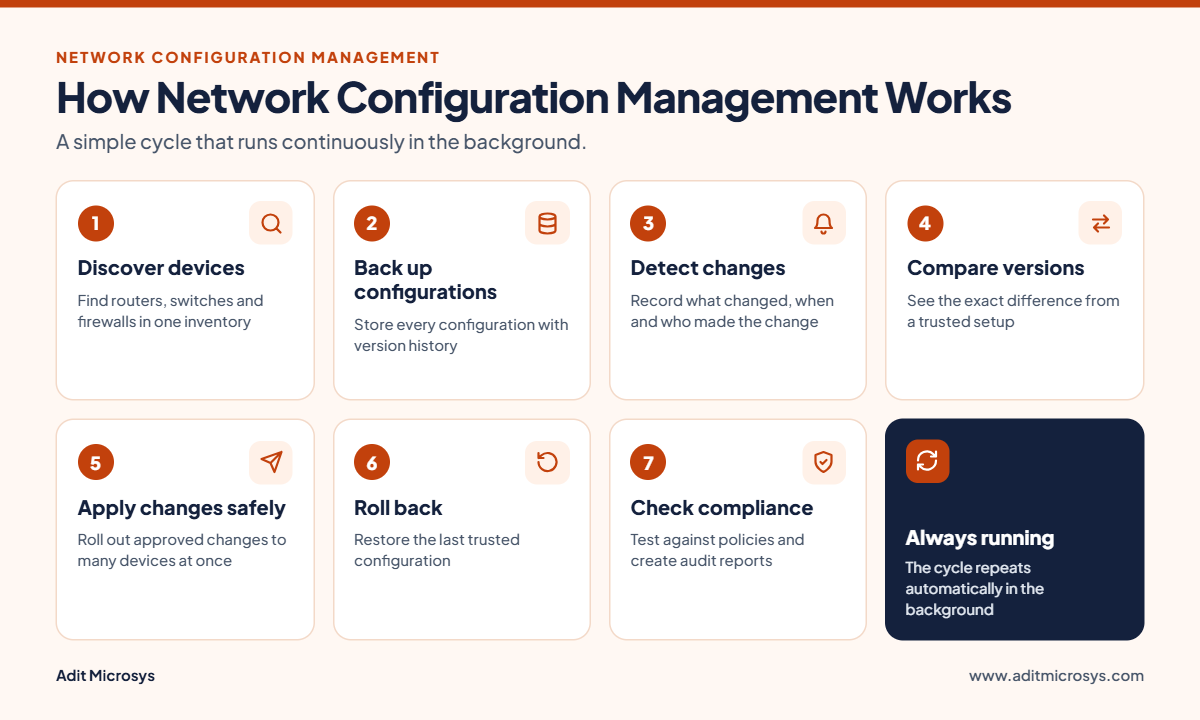
An NCM solution follows a simple cycle that runs continuously in the background.
- Discover devices. The tool finds the routers, switches, firewalls and other devices on the network and adds them to one inventory.
- Back up configurations. It collects the configuration of each device and stores it, with version history. Backups can run on a schedule or when a change is detected.
- Detect changes. When a setting is changed, the tool records what changed, when, and which user made the change. Teams can be alerted right away.
- Compare versions. The current configuration can be compared with an earlier or approved one to see the exact difference.
- Apply changes in a controlled way. Updates can be prepared once and applied to many devices together, instead of logging in to each device one by one.
- Roll back when needed. If a change causes trouble, the device can be restored to its last trusted configuration.
- Check compliance and report. Configurations are checked against internal policies or industry standards, and reports show which devices follow the rules and which do not.
Key Features of a Network Configuration Management Solution
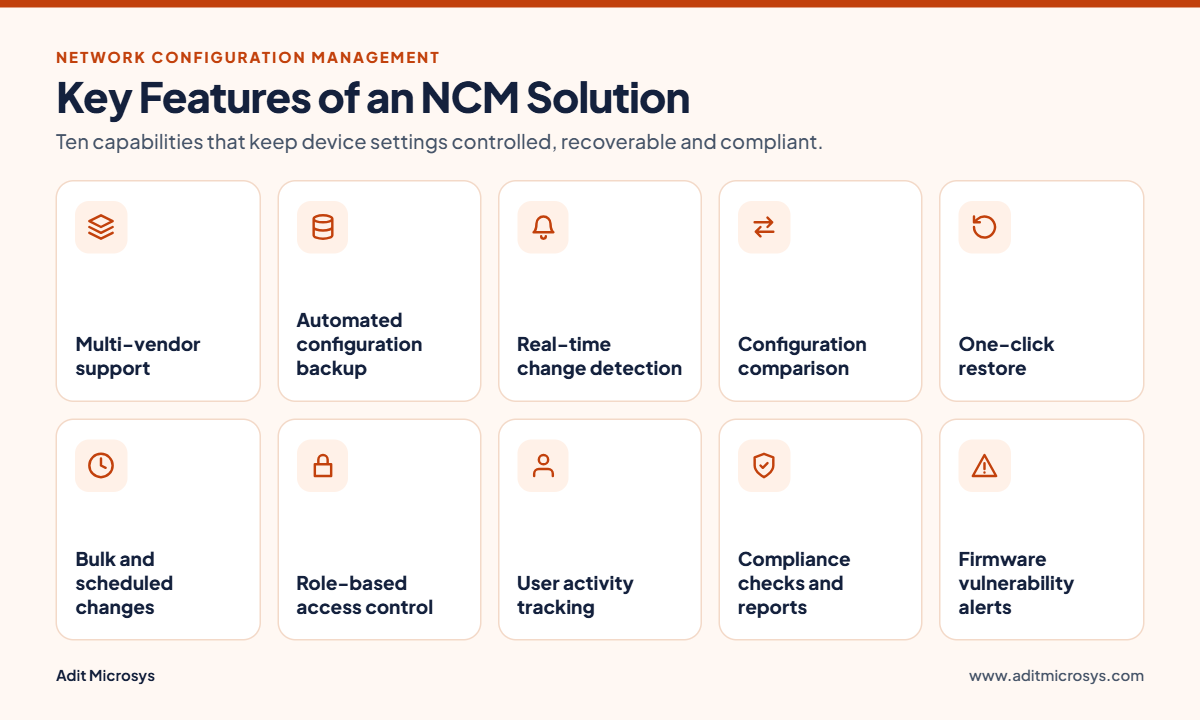
A good NCM tool covers these core capabilities.
| Feature | What it does |
| Multi-vendor support | Manages routers, switches and firewalls from different vendors in one place |
| Automated configuration backup | Saves device configurations on a schedule, with version history |
| Real-time change detection | Flags configuration changes as they happen and alerts the team |
| Configuration comparison | Shows the exact difference between two versions of a configuration |
| One-click restore | Returns a device to an earlier trusted configuration |
| Bulk and scheduled changes | Applies approved changes to many devices at once, at a planned time |
| Role-based access control | Limits who can view, edit or push changes |
| User activity tracking | Records who made each change for accountability and audits |
| Compliance checks and reports | Tests devices against policies and produces audit-ready reports |
| Firmware vulnerability alerts | Identifies devices running firmware with known security issues |
Benefits of Network Configuration Management
- Less downtime. Fewer configuration errors mean fewer outages, and faster recovery when something does go wrong.
- Stronger security. Unauthorised or risky changes are caught early, and devices follow a consistent security baseline.
- Faster troubleshooting. A clear change history shows what changed before a problem started.
- Easier compliance. Backups, change logs and reports give auditors the evidence they ask for.
- Time savings for IT teams. Backups and bulk changes run automatically, so engineers spend less time on repetitive manual work.
- Better control. Role-based access and activity tracking make every change accountable.
- Consistency across sites. The same approved settings can be applied to every branch and device.
Best Practices for Network Configuration Management
- Keep a complete device inventory. You cannot manage what you do not know exists. Include every router, switch, firewall and access point.
- Back up before every change. Make sure a working copy exists before anyone edits a device.
- Define a baseline. Decide what a secure, approved configuration looks like and measure every device against it.
- Approve and document changes. Use a clear process so each change has an owner, a reason and a record.
- Limit access. Give people only the permissions their role needs, and review them regularly.
- Monitor for unplanned changes. Set alerts so unexpected edits are noticed straight away.
- Test before you roll out. Try changes on a small group of devices first, then apply them more widely.
- Review and update regularly. Check configurations, firmware and compliance reports on a fixed schedule.
Network Configuration Management vs Network Monitoring
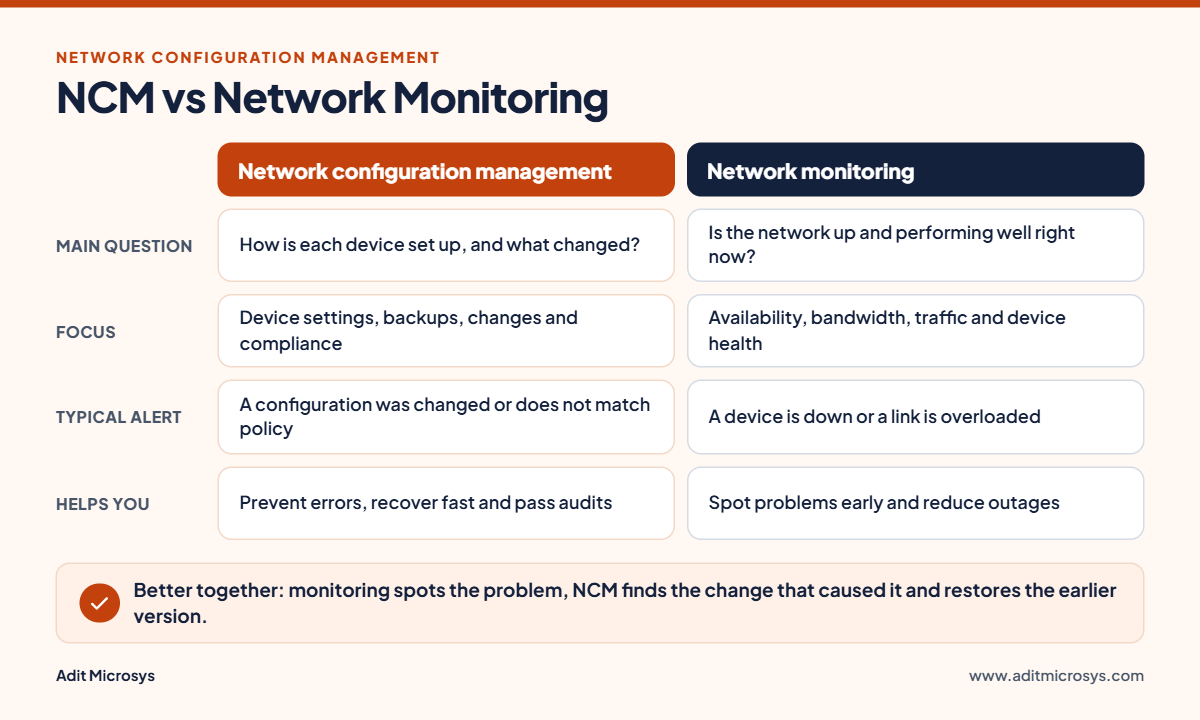
The two are often confused, but they answer different questions and work best together.
| Network configuration management | Network monitoring | |
| Main question | How is each device set up, and what changed? | Is the network up and performing well right now? |
| Focus | Device settings, backups, changes, compliance | Availability, bandwidth, traffic and device health |
| Typical alert | A configuration was changed or does not match policy | A device is down or a link is overloaded |
| Helps you | Prevent errors, recover fast, pass audits | Spot problems early and reduce outages |
For example, monitoring can tell you that a switch stopped responding. NCM can show that a configuration change made ten minutes earlier caused it, and restore the previous version. To learn about monitoring, see our Network Monitoring page.
Who Needs Network Configuration Management?
NCM is useful for any organisation that depends on its network, and the need grows with the number of devices and locations. It is especially valuable for:
- Companies with several offices, branches or factories
- Banks, healthcare providers, government bodies and other regulated organisations
- Education campuses and large enterprises with many switches and firewalls
- IT service providers who manage networks for several clients
Signs you need it now
- Configuration changes are made by hand, device by device
- Nobody can say for sure who changed a setting last week
- A failed device takes hours to rebuild because there is no recent backup
- Audits take weeks because evidence is scattered across files and emails
- Different sites use different, undocumented settings
How to Choose the Right NCM Tool
Before you pick a solution, check the following.
- Device and vendor coverage: Does it support the brands and device types you use today?
- Ease of use: Can your team set up backups, alerts and reports without long training?
- Change tracking: Does it show who changed what, and let you compare and restore versions?
- Security and access control: Does it support role-based access and keep an activity trail?
- Compliance reporting: Can it check devices against your policies and produce reports for audits?
- Scalability: Will it still work as you add devices, sites and users?
- Integration: Does it work with your monitoring and IT service tools?
- Local support and implementation: Is there a partner who can set it up, train your team and help when you need it?
Network Configuration Management with Adit Microsys
Adit Microsys is an Ahmedabad-based IT services company that helps organisations implement and manage their IT infrastructure. Our Network Configuration Manager solution helps IT teams manage configuration, change and compliance for routers, switches and firewalls from multiple vendors.
With it, your team can:
- Back up device configurations and compare versions
- Detect configuration changes in real time
- Identify firmware security vulnerabilities
- Control access with roles and track user activity
- Restore devices to an earlier trusted configuration
For larger organisations, an Enterprise Edition offers central control over multiple sites, with configlets and scheduled operations across distributed probes.
Frequently Asked Questions
What is NCM in networking?
NCM stands for network configuration management. It is the process of backing up, tracking and controlling the configuration settings of network devices such as routers, switches and firewalls.
What is the difference between a configuration backup and NCM?
A backup is only a saved copy. NCM includes backups, but also change tracking, version comparison, restore, access control and compliance checks.
Does NCM replace network monitoring?
No. Monitoring shows whether the network is up and performing well. NCM manages how devices are configured. Most organisations use both.
Can NCM manage devices from different vendors?
Yes. A good NCM solution supports multi-vendor environments, so routers, switches and firewalls from different brands can be managed from one place.
How does NCM help with compliance?
It keeps a record of configurations and changes, checks devices against your policies and produces reports that can be shown during audits.
Is NCM only for large enterprises?
No. Any organisation with multiple network devices or locations benefits from it. Larger networks simply gain more, because manual management becomes harder as they grow.
How often should configurations be backed up?
The best approach is to back up on a regular schedule and also whenever a change is detected, so a recent working copy always exists.
Conclusion
Network configuration management turns the settings of your network devices from an unmanaged risk into a controlled, documented process. It reduces errors, speeds up recovery, strengthens security and makes audits simpler.
If your team still manages configurations by hand, or cannot easily say what changed and when, it is time to look at a structured approach. Explore our Network Configuration Manager solution, or get in touch with the Adit Microsys team to discuss the right setup for your network.


