SD-WAN connects branch offices, remote users and cloud applications over the internet. This improves speed and reduces cost, but it also opens more doors for threats. A single infected file downloaded at one branch can quickly reach the rest of the network.
Sandboxing helps stop this. It tests unknown files in a safe, isolated environment before they reach users. The question many IT teams ask is: which security policy actually turns sandboxing on in an SD-WAN solution? This blog answers that and helps you choose the right approach for your business.
Why Sandboxing Matters in SD-WAN
Traditional security checks files against lists of known threats. New or modified malware, often called a zero-day threat, is not on those lists and can pass through unnoticed.
Sandboxing closes this gap. Suspicious files are opened in a controlled environment, where their behavior is observed. If a file tries to change system settings, contact unknown servers or encrypt data, it is marked as malicious and blocked.
In an SD-WAN setup, this matters even more because traffic goes straight from branches to the internet and cloud, instead of passing through one central data center.
Which Security Policy Enables Sandboxing?
Sandboxing is not a separate switch on its own. It is enabled through a threat prevention policy, also called an advanced threat protection or advanced malware protection profile. This profile is then attached to the firewall or security policy rule that controls SD-WAN traffic.
In simple terms:
- The firewall policy decides which traffic is inspected.
- The threat prevention profile decides what happens to unknown files, including sending them to the sandbox.
The exact names differ from one vendor to another, so always check your vendor’s documentation. The idea, however, stays the same.
Policies That Work Together with Sandboxing
Sandboxing works best when supported by a few related policies:
- Firewall policy: defines the traffic, such as branch to internet or branch to cloud, that is checked for unknown files. See our Firewall / UTM solution.
- Threat prevention profile: sends unknown files for sandbox analysis and sets the action based on the result.
- SSL/TLS inspection policy: most web traffic is encrypted. Without decryption, files hidden inside it cannot be sent to the sandbox.
- Web and content filtering policy: blocks risky websites and file types before they become a problem.
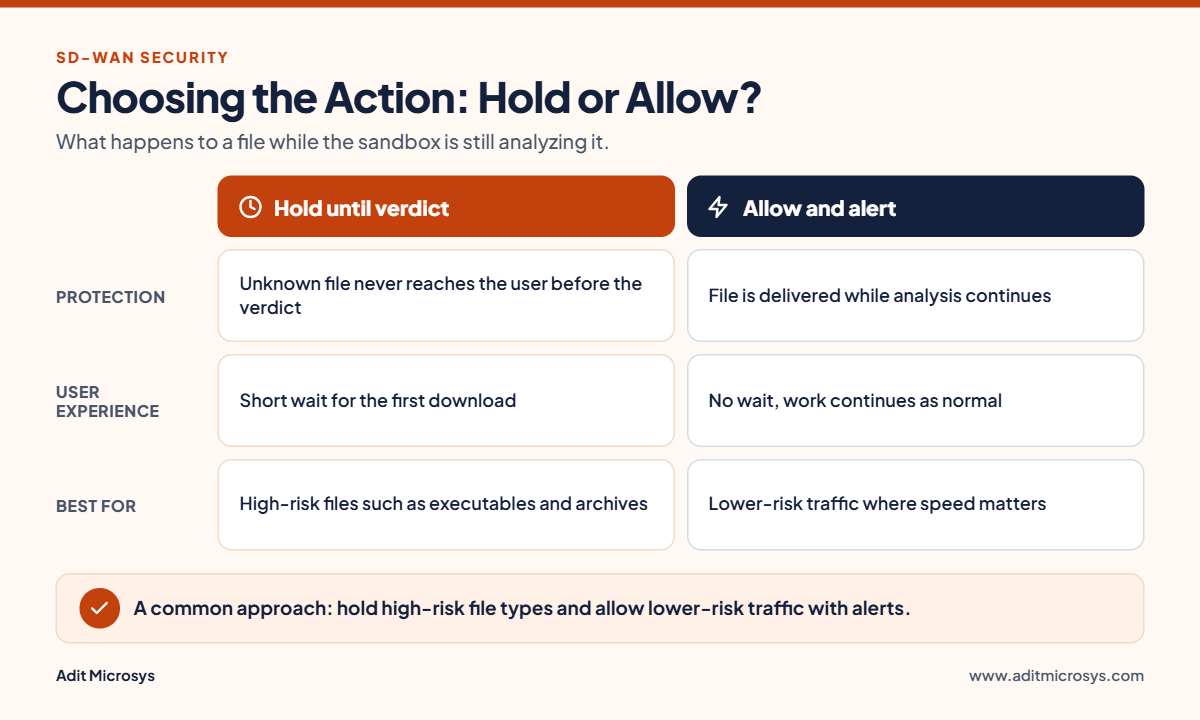
- Action policy: decides whether a file is held until the verdict arrives, or delivered while analysis continues, with an alert raised if it turns out to be harmful.
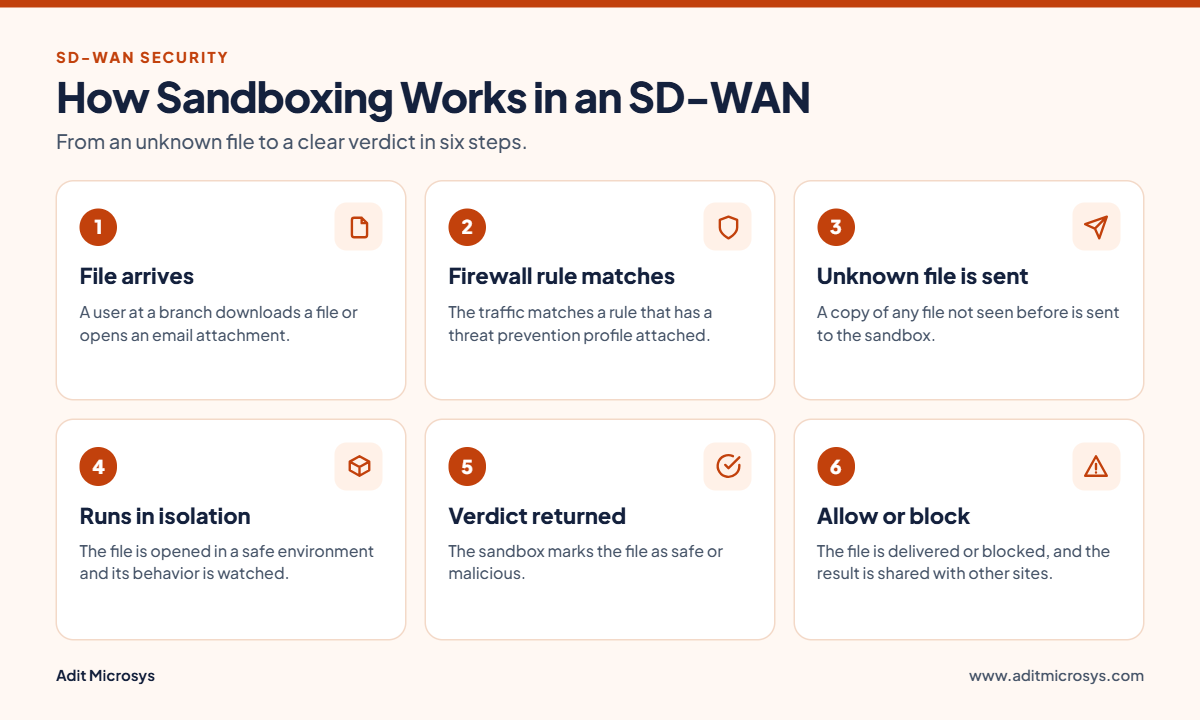
How It Works
- A user at a branch downloads a file or receives an email attachment.
- The firewall rule matches the traffic and applies the threat prevention profile.
- If the file is unknown, a copy is sent to the sandbox.
- The sandbox runs the file in isolation and watches its behavior.
- A verdict is returned: safe or malicious.
- The file is allowed or blocked, and the result is shared so that other sites are protected too.
How to Choose the Right Policy for Your Business
The right choice depends on your setup. Consider these points:
- Where inspection happens: at each branch, in a central location or in the cloud. Cloud sandboxes are easier to manage across many sites.
- File types: start with the riskiest ones, such as executables, documents, PDFs and compressed files.
- Performance: holding files until the verdict arrives is safer but adds a short delay. Allowing files and alerting later is faster but carries more risk.
- Data privacy and compliance: if files are sent to a cloud sandbox, check where they are processed and stored.
- User experience: choose settings that protect users without slowing daily work.
Best Practices
- Enable SSL/TLS inspection for the traffic you want to analyze.
- Apply the same threat prevention profile across all branches for consistent protection.
- Block files that are confirmed malicious, and alert the IT team for suspicious ones.
- Review sandbox reports regularly to understand attack patterns.
- Combine sandboxing with advanced thread protection, endpoint security and regular policy reviews.
Final Thoughts
Sandboxing in SD-WAN is enabled through a threat prevention policy attached to your firewall rules. Combined with SSL inspection, content filtering and clear action settings, it protects every branch from unknown threats without slowing the business.
Adit Microsys helps businesses plan and deploy sandboxing and network security solutions that match their environment. To discuss your requirements, contact our team.