Databases hold some of the most valuable data in any business: customer records, financial transactions and operational data. Isolating them limits the damage if an application or server is compromised. But isolation comes with a cost, and for databases that cost is felt directly in speed.
So which sandboxing solutions add the least overhead? The honest answer is that it depends on how much isolation you need and how your database is used. This blog compares the common approaches so you can choose with confidence.
What Sandboxing Means for Databases
In this context, sandboxing means running a database in a restricted, separate environment. The database can use only the resources and permissions it has been given, and it cannot freely reach other systems. If something goes wrong, the problem stays inside the boundary.
This is different from malware sandboxing, where suspicious files are opened in a safe space to see how they behave. Both ideas rely on isolation, but here the goal is to protect the database workload itself.
Why Overhead Matters for Databases
Databases are sensitive to delay. They depend heavily on disk speed, memory and network response. Any isolation layer that slows these down can affect application performance, reporting and user experience.
Overhead usually shows up as:
- Higher CPU and memory use
- Slower disk reads and writes
- Added network delay between the application and the database
- More complex setup and maintenance
Isolation Methods Compared
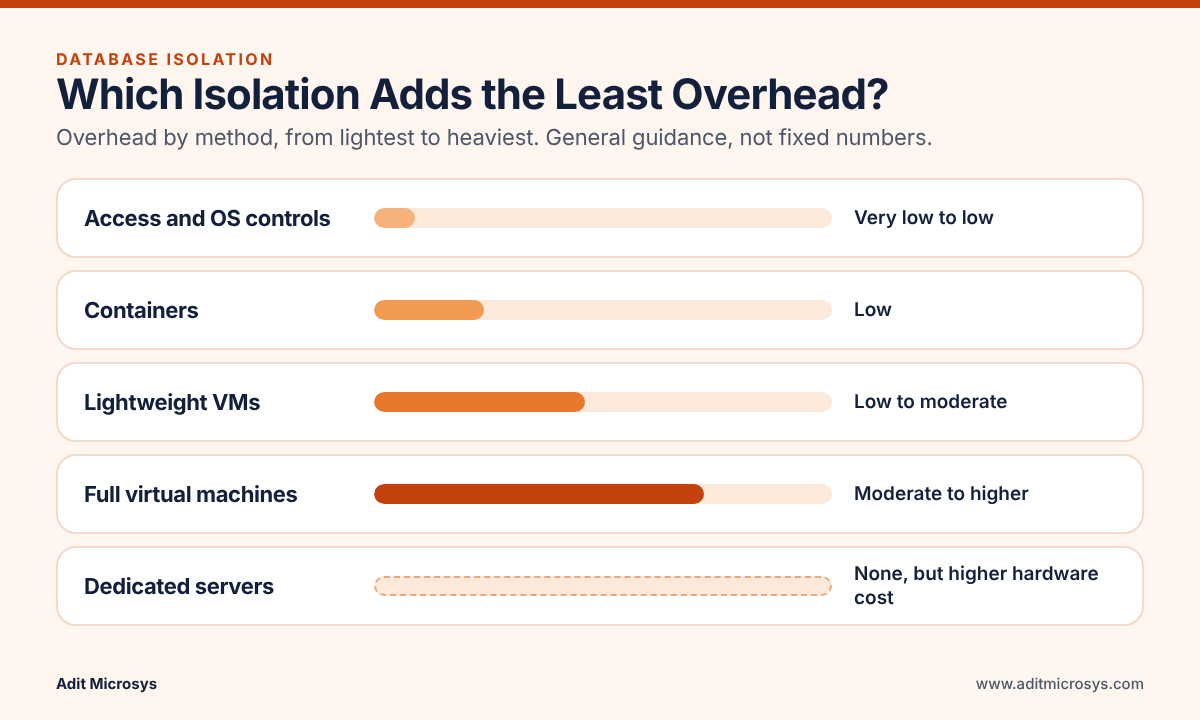
Below are the common approaches, from lightest to heaviest. The overhead levels are general guidance, not fixed numbers. Actual results depend on your hardware, configuration and workload.
Access controls and operating system controls
Database roles separate users and applications inside a database, while operating system permissions and restricted profiles limit what the database process can reach on the server. Isolation is basic to moderate, and overhead is very low to low.
Containers
Containers run each database in its own restricted space on a shared host. Isolation is moderate and overhead is low, which makes them well suited to running several databases on the same servers.
Lightweight and full virtual machines
Virtual machines place a stronger boundary between workloads. Lightweight virtual machines offer strong isolation at low to moderate overhead, while full virtual machines offer the strongest software isolation at moderate to higher overhead. They suit sensitive or regulated data.
Separate physical servers
A dedicated server gives the strongest isolation and adds no overhead from isolation itself, but it increases hardware cost. It is best kept for critical systems with strict requirements.
Which Option Adds the Least Overhead?
The lightest options are access controls, operating system controls and containers. They share the host’s resources, so they add very little processing cost. For many businesses, a hardened container with strict permissions offers a good balance of protection and speed.
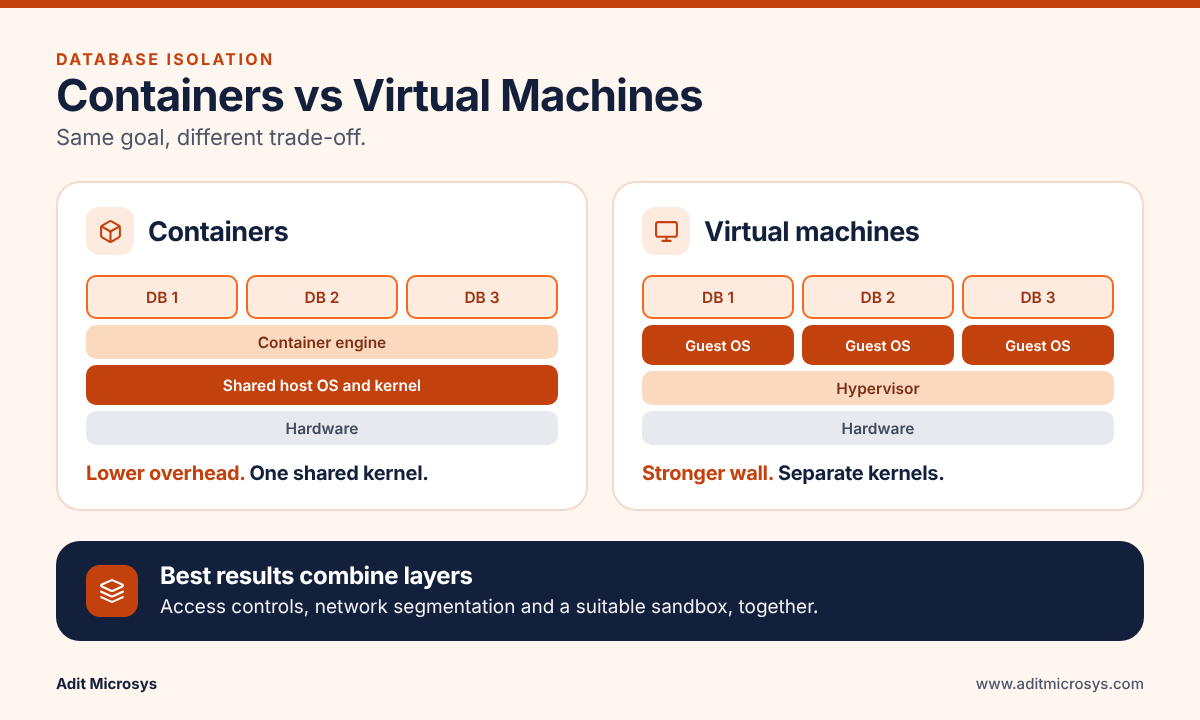
The trade-off is isolation strength. Containers share the host’s operating system kernel, so a serious flaw in the kernel could affect every container on that host. Virtual machines place a stronger wall between workloads, but they add more overhead, especially for disk and network activity. See our virtualization solutions for how this is managed in practice.
Factors That Change the Overhead
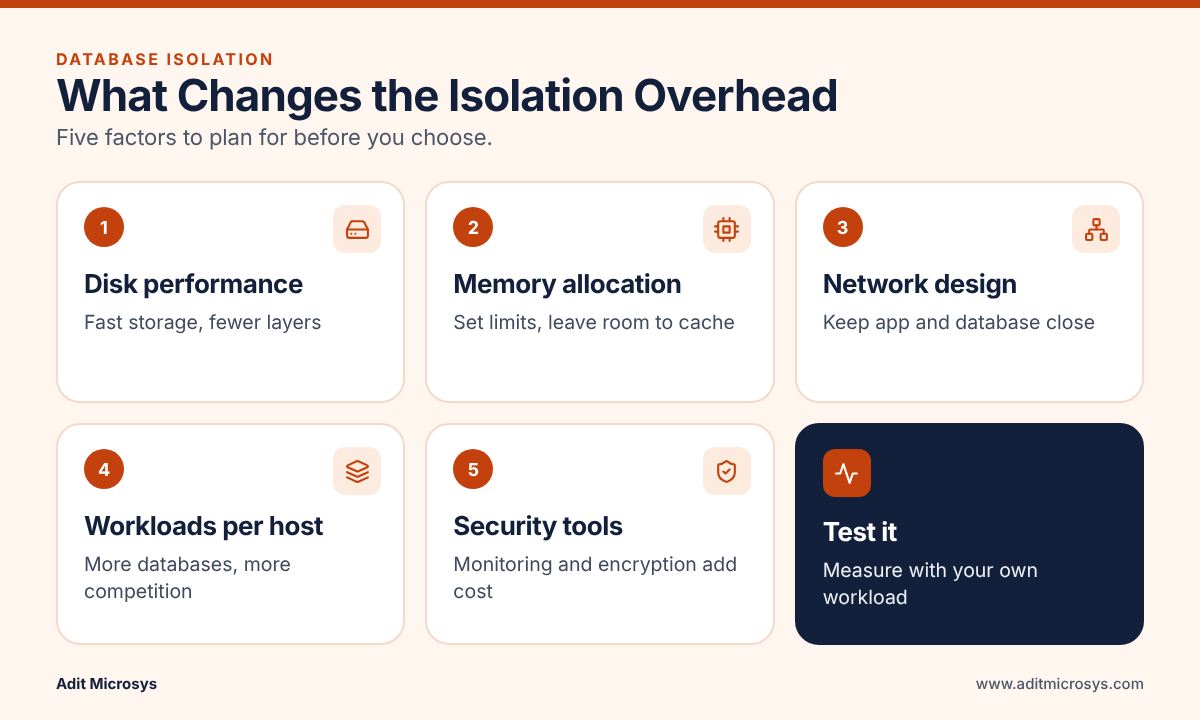
- Disk performance: databases are disk-intensive. Using fast storage and avoiding extra layers between the database and its storage reduces delay.
- Memory allocation: set clear memory limits, but leave enough room for the database to cache data.
- Network design: keep the application and database close together and limit unnecessary traffic through firewalls and proxies.
- Number of workloads per host: the more databases share a server, the more they compete for resources.
- Security tools in the path: monitoring, encryption and inspection add cost. Choose them carefully.
How to Choose the Right Approach
- Classify your data. Regulated or highly sensitive data deserves stronger isolation, even at some performance cost.
- Understand the workload. A busy transaction database reacts differently from a reporting database.
- Test with your own workload. Measure response time and throughput before and after adding isolation.
- Combine layers. Use access controls, network segmentation and a suitable sandbox together, instead of relying on one method.
- Plan for monitoring. Track performance after deployment so that problems are found early. Our application and database monitoring solution can help.
Best Practices
- Give each database only the permissions it needs.
- Keep databases off the public network and allow only approved connections.
- Keep the operating system, database software and container images updated.
- Encrypt data at rest and in transit.
- Back up regularly and test recovery.
- Review isolation settings whenever the workload or the environment changes.
Final Thoughts
There is no single sandboxing solution that is lowest in overhead for every database. Access controls, operating system restrictions and containers add the least cost, while virtual machines and dedicated servers give stronger separation at a higher price. The right choice balances the sensitivity of your data against the performance your applications need.
Adit Microsys helps businesses design secure, well-performing IT infrastructure, from isolation and virtualization to monitoring. If you are planning database isolation for your business, our team can help you choose the right approach.